|
|
|
GAME CONFIGURATION FOR MULTIPLAYER
- Remember Windows 95 was released
- ADSL and Cable connections make little
- Windows Moo2 across a 10/100MB LAN is OK-ish.
- An Internet 2-player windows Moo2 game is just about playable.
There are 4 solutions:
Q1) "Can't Run Dos game under Windows" -
Q2) "Please Load VESA.COM"
Q3) The game crashes a lot.
Q4) Insufficient memory tryed to allocate 777581500 bytes.
Q4) Moo2 Freezes on "Initializing Network Screen" when starting a Multi-player game.
2) Run Windows Scandisk to check for hard disk errors.
3) Run Defrag to re-organise your PCs files more efficiently.
4) Give your PC a "Health Check" from here:
www.pcpitstop.com
5) Check for virues: Run the "House Call" from:
www.PCcillin.com
OPTIONAL configuration for optimal Moo2.
The game files will take up about 320MB
of hard Disk Space. After Installation
there should be a minimum of 100MB free
on the C: Drive. Anything less will affect
the performance of the game and indeed the
whole PC. 400MB free is Recomended.
So ... if there is enough room on the Hard Dive,
copy the CD to the directory: C:\Moo2 ,
or better still if there is a "D" drive copy it there.
It is not necessary to copy the Directories "Ten" or
"Funstuff" or "Acrobat" if they are on the CD.
Once copied, remove the CD from the drive and
install the game by running the INSTALL.EXE
located in the \Moo2 Directory.
To get the game sound working under DOS, run the Setsound.exe in the MPS/ORION2 directory.
The DOS version has MUCH less lag
at the end of turn and during battle.
as Moo2 was being developed.
improvment in the windows Moo2 lag.
For Windows ME you will need a DOS
Emulation program - just search the
internet for "WinME & DOS".
Or use this German DOS emulator:
DOS4ME.exe
DOS Multiplayer will NOT work under
Windows 2000 and Windows XP .
Windows 2000 and Windows XP do not
not fully support DOS and you will get
a "Comms Failure" when you try to run
a DOS multi-player game under XP.
1) Partition the hard disk and make
a Duel-Boot PC with XP and Win 98.
2) Install Win 98 to a 2nd Hard Disk and
use the BIOS to switch between them.
3) Use Virtual PC available from
Connectix
and run Windows 98 as a guest Operating
system under XP or Windows 2000.
Recommended PC spec to run Moo2 smoothly:
1.5 Ghz Processor and 256 MB ram
4) Use a 2nd PC with Windows 98
A Pentium 200 with 64 Meg ram is OK.
This is my solution, I have 2 PCs. One XP and one Win98se
5) If all else fails you will have to
play the windows version of Moo2. ICQ
me on 35135918 and I will add you to
the list of
Windows-Only Moo2 Players .
Avaliable here
In the C:/MPS/ORION2 folder there is a program
Called " Orion2.exe " , Right-Click on
this and select the option to create a shortcut.
The Shortcut will be created in the
C:/MPS/ORION2 folder. Move the shortcut to the
Windows Desktop.
It should look something like this:
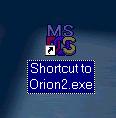
Right click on the Shortcut and set the
properties as below:
The Program Tab

The Memory Tab

28-August 2002 - Update
A Moo2 player had 768 Meg of ram.
The settings above did not work.
Thanks to Moo2 player - LordBrazen it was suggested the following was changed:
Set XMS to 16764 from the pulldown.
(Leave all others on AUTO).
The problem here is that the compiler used in Moo2 - DOS/4GW does not recognize Ram above 512 (?) .
The Screen Tab

The Misc TAB

The Advanced Program Settings TAB

Trouble Shooting:
A1) i. Make sure the "Prevent MS-DOS programs from detecting windows" is ticked in the advance program Tab.
ii. Make sure you are running from the shortcut - if in doubt make the changes suggested on this page to BOTH the shortcut and the Orion2.exe
A2) i. Make sure you have the very latest drivers for your graphics card.
ii. Make sure you have a recent version of DirectX,
7 or more should be OK.
iii. Make sure you have a the DOS VESA drivers for your card, these days VESA drivers are not automatically supplied/installed with todays modern graphics cards.
iv. If it still does not work get
SciTechs Display Doctor.
It comes with a free trail period, during which time you can contact your Graphics card Manufacturer.
Or Buy the Display Doctor Software, it's quite good and not too expensive at about 20 USD.
v. Finally some bright spark wrote this :
vesawrap.zip.
It says it fixes the "Please Load VESA.COM" error for Orion2.exe ... however I have not tried it , since I am lucky enough not to have this problem.
A3) i. Make sure it is not one of the many known Bugs and there are many Moo2 Bugs, about 20 or so.
ii. Try running with no sound. Run Setsound and change the Midi and Digital to "None". If the problem goes away then you have a Sound/Drivers issue. A sound card based around the AC97 chip is known to work well.
A4) In this case there is more computer memory than Moo2 can handle. It will be necessary to set the values on the Memory tab of the properties (for the Orion2.exe or the Shortcut)
Thanks to player - LordBrazen - it was suggested the following was changed:
Set XMS to 16764 from the pulldown on the Advanced properties on the program Tab.
The problem here is that the compiler used in Moo2 - DOS/4GW does not recognize Ram above 512 (?)
A4) This is cause by installing the windows version of Moo2 (using Setup.exe) and attemping to run a Multi-player , network, DOS Moo2 game. The Solution is to install Moo2 using the "Install.exe" , which will correctly install the DOS version. (Of course the 1.31 patch will still need to be applied to the C:/MPS/Orion2 folder) .
General PC advice
1) Run Windows Update from:
www.windowsupdate.com
Running Moo2 from the Hard Drive will
greatly improve the speed of game play.
As well as the fact it is nolonger
necessary to locate and load the CD.